.png)


Effective management and technical precision are the cornerstones of thriving electronics repair organizations, fostering customer trust and driving financial success.
1. Understanding the Market and "Right-to-Repair" Trends
The rules of the electronics repair game have officially changed. For years, independent shops fought a grueling battle against manufacturers who locked away proprietary tools, schematics, and OEM parts. Today, the tide has turned in our favor.
The Impact of EU and US Legislation on Sourcing Parts
The "Right-to-Repair" movement has secured massive legislative victories. The EU's Right to Repair Directive now mandates that manufacturers must offer repairs for certain products at reasonable prices and timeframes. Crucially, they must provide independent repairers with access to spare parts and technical information. In the US, states like New York, California, and Minnesota have enacted similar consumer protection bills.
What does this mean for your new business? You will soon have legitimate, legal access to the schematics and OEM parts that were previously locked behind "Authorized Service Provider" walls.
2. Financial Planning: CAPEX, OPEX, and Unit Economics
The survival of your new service center relies on a flawless understanding of your cash flow. You must separate your financial outflows to maintain solvency during the critical first six months.
Initial Setup Costs (Equipment, Rent, Legal)
Your startup costs are split into Capital Expenditures (CAPEX) and Operating Expenses (OPEX).
- CAPEX (Capital Expenditures): These are foundational, one-time investments required before you open your doors. This includes your retail build-out, specialized diagnostic machinery (oscilloscopes, thermal cameras), initial inventory buffers, and security systems.
- OPEX (Operating Expenses): These are the cyclical costs to keep the lights on. Fixed OPEX includes your lease, liability insurance, and admin payroll. Variable OPEX fluctuates with your repair volume, including spare parts, payment processing fees, and hourly technician wages.
Typical Financial Breakdown
To give you a realistic picture, here is a breakdown of what setting up a professional, mid-sized retail service center looks like:
| Expense Category | Type | Estimated Cost (USD) | Description |
|---|---|---|---|
| Retail Build-out & Fixtures | CAPEX | $15,000 - $30,000 | Customer counters, shelving, signage, and basic renovations. |
| Technical Equipment & EPA Setup | CAPEX | $12,000 - $25,000 | Soldering stations, microscopes, ESD flooring, and grounding gear. |
| Initial Inventory Buffer | CAPEX | $10,000 - $20,000 | Common screens, batteries, charging ports, and donor devices. |
| Rent & Utilities | OPEX (Monthly) | $2,500 - $6,000 | Commercial lease for a high-visibility retail location. |
| Marketing & Software | OPEX (Monthly) | $500 - $1,500 | Local SEO, Google Ads, and specialized ERP/POS software subscriptions. |
You must calculate exactly how many repairs you need to complete daily just to cover your OPEX (your Break-Even point). Aim for at least a 60-70% gross margin on labor and a 30-50% margin on parts.
3. Setting Up Your Workshop: Technical and ESD Standards
If you plan to fix logic boards or handle sensitive integrated circuits (ICs), you cannot just throw an anti-static mat on a wooden desk and hope for the best.
Why ANSI/ESD S20.20-2021 Compliance is Critical for Success
All work with electrostatic discharge-sensitive components (ESDS) must be performed in a certified ESD Protected Area (EPA). The gold standard for this is the ANSI/ESD S20.20-2021 standard.
Compliance means grounding everything. It requires ESD-safe workbenches, proper wrist straps and foot grounders for technicians, antistatic flooring (or high-quality floor mats connected to earth ground), and strict humidity control.
Essential Tools: From Micro-Soldering to Diagnostics
Standardize your workshop with professional-grade equipment:
- High-end soldering and hot air rework stations (e.g., Hakko, JBC, or Weller).
- Trinocular microscopes for board-level diagnostics.
- Digital multimeters and thermal imaging cameras to quickly locate short circuits.
- A high-quality ultrasonic cleaner for liquid damage repair.
4. Operations and Inventory Management
Inventory is the silent killer of repair shops. Tracking hundreds of tiny components, screens, batteries, and screws requires relentless organization.
Solving the "Parts Cannibalization" Problem
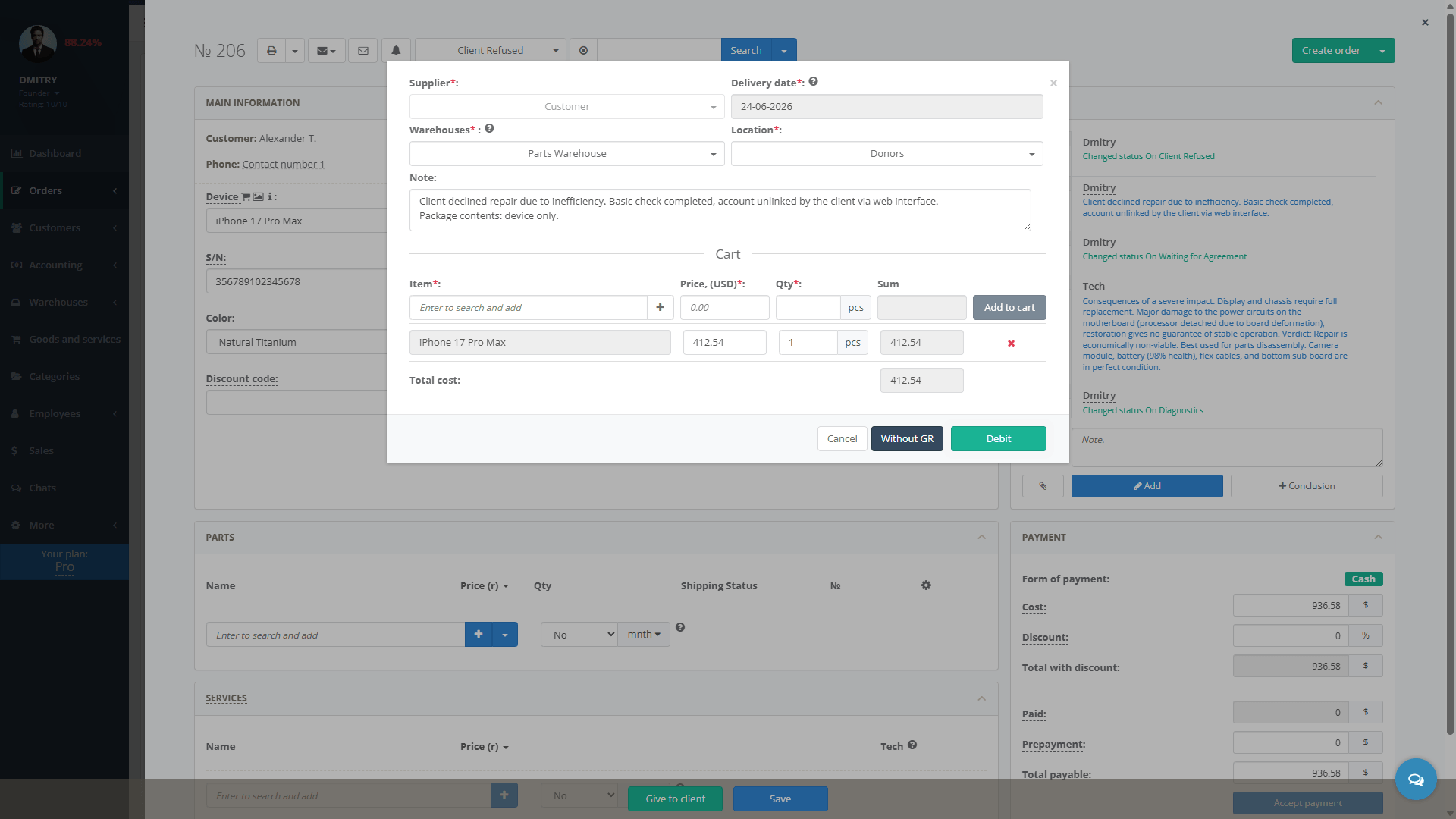
In this business, technicians frequently "cannibalize" dead devices (donors) to harvest working ICs, connectors, or screens for customer repairs. It's a great way to improve margins, but it's a nightmare to track.
If you try to track donor parts in a generic Excel spreadsheet, you will fail. It leads to inventory chaos, phantom stock, and severe financial discrepancies at tax time. You will end up ordering parts you already have, simply because a technician forgot to log that they pulled a chip from a donor board last Tuesday.
To maintain profitability, you must deploy an inventory management system specifically designed for the repair industry from day one.
5. Marketing Your Repair Shop to Dominate Local Search
Most electronics repair is hyper-local. When a customer spills coffee on their laptop, they grab their phone and search Google for "electronics repair near me."
Local SEO and Building Trust via Google Reviews
Your primary marketing asset is your Google Business Profile (GBP). Ensure it is fully optimized with accurate hours, a local phone number, and high-quality photos of your storefront.
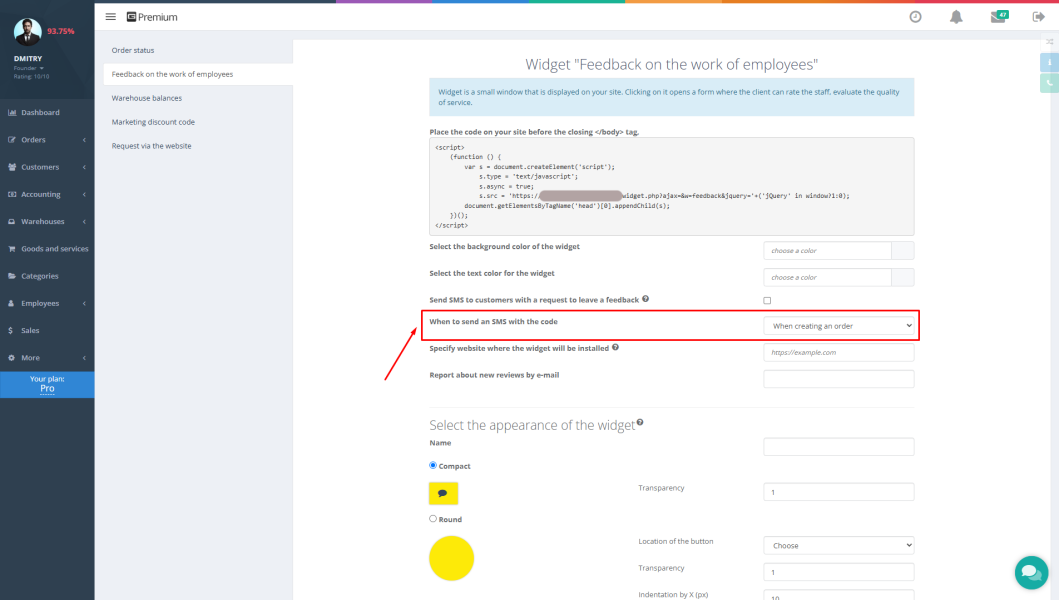
However, simply existing on Google isn't enough. Reviews are the currency of trust. Customers are handing over devices containing their personal photos and banking information. They will absolutely avoid a shop with a 3.2-star rating. Implement an automated follow-up system asking satisfied customers to leave a review the moment they pick up their fixed device.
6. Scaling: Hiring Technicians and Tracking KPIs
You cannot scale your business if you are tied to the soldering bench 10 hours a day. Eventually, you must hire and manage technicians.
Essential KPIs for Repair Techs
Managing technicians requires hard data, not gut feelings. You need to track Key Performance Indicators (KPIs) to ensure quality and efficiency remain high:
- Average Turnaround Time: How fast are devices moving from intake to "ready for pickup"?
- Bounce Rate (Warranty Returns): How many devices repaired by a specific technician come back within 30 days with the exact same issue?
Conclusion & Next Steps
Opening a profitable electronics repair business requires more than just a steady hand. It demands strict adherence to technical standards like ANSI/ESD S20.20, a firm grip on your cash flow, and the implementation of robust management software.
By taking a professional, data-driven approach to your repair shop from day one, you position yourself not just to survive the first year, but to become the dominant repair authority in your local market.
Frequently Asked Questions (FAQ)
Is the electronics repair business profitable?
Absolutely. While hardware margins can be tight, labor margins typically range from 60% to 80%. Your ultimate success depends on repair volume, efficient turnaround times, and strict inventory control.
Do I need a license to repair electronics?
It depends entirely on your local and state jurisdiction. Some areas require specific electronics repair licenses, while others only require a standard business registration and sales tax permit. Always consult with a local business attorney before opening your doors.
What is the best software for a repair shop?
The best software must handle both retail Point of Sale (POS) duties and complex inventory management (like tracking serialized parts and donor devices). Platforms like Gincore are highly recommended because they are purpose-built for the unique operational workflows of repair centers, unlike generic retail software.